Role
Product Designer
Team
Reality Labs Design System
HorizonOS
App Transitions

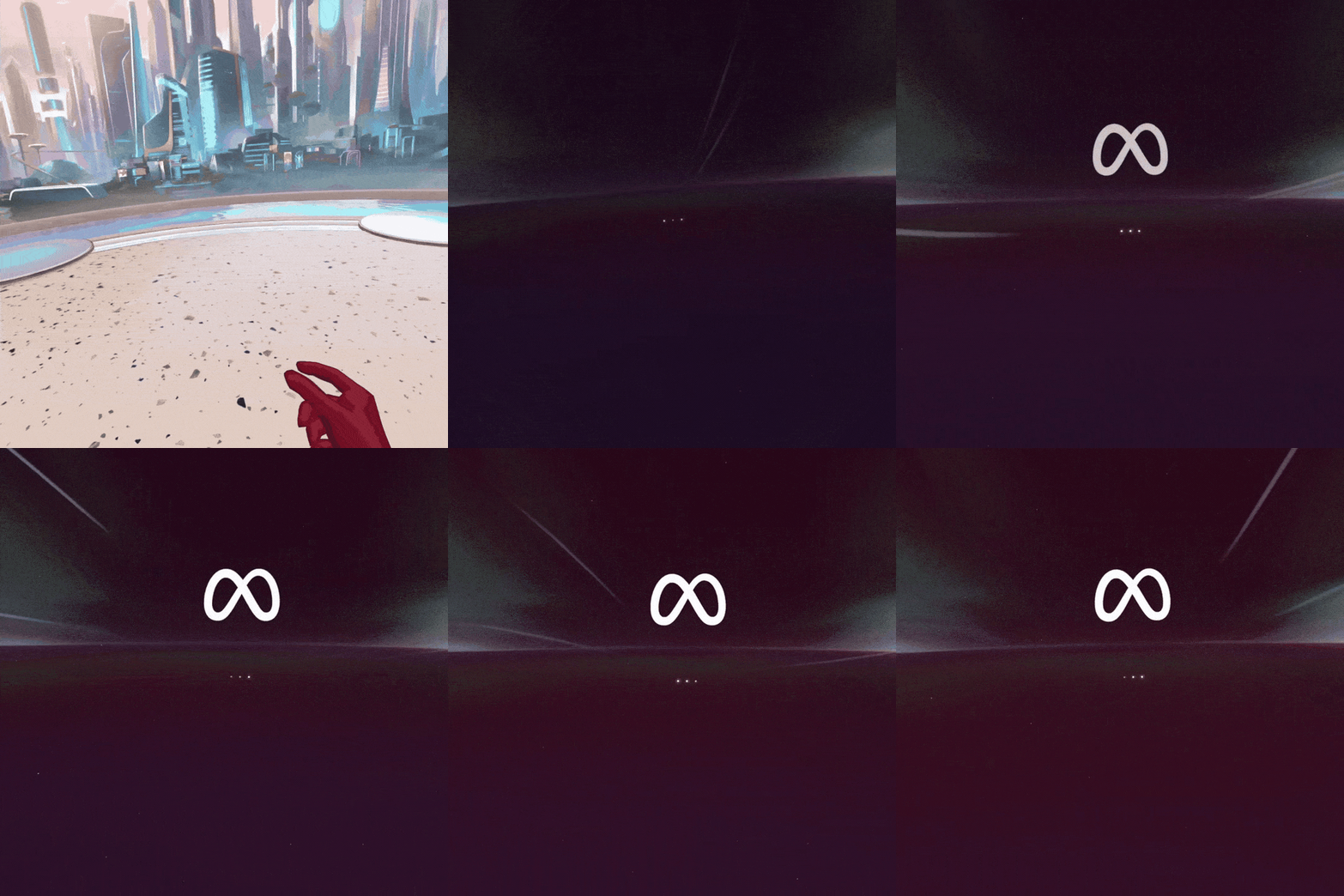
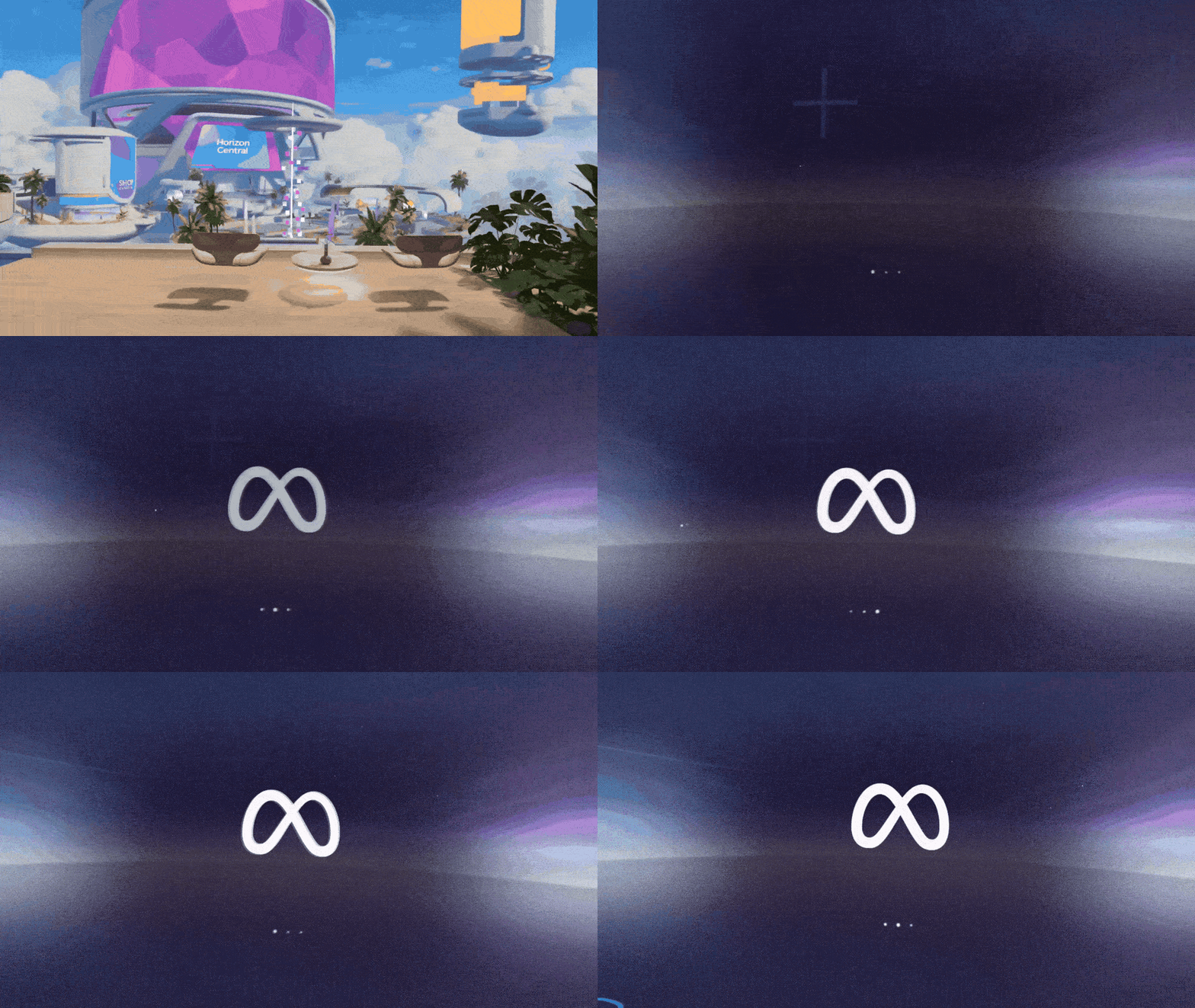
A lightweight system-level transition uses motion and UI feedback to preserve presence while masking unavoidable disorienting cut-to-black moments when switching between VR apps.
Served as lead product designer, owning concept approval with stakeholders and design leadership while leading cross-functional teams to development.
Status
Shipped - 2024
Tools
Figma
Cinema 4D
Unity
Key Features
Spatial continuity - maintains user orientation
Progress visibility - shows app info and loading status
Lightweight - minimal performance impact
Bidirectional - works for all transitions
My Role
Lead Product Designer
Led cross-functional team (product designers, Unity prototypers, engineers, art directors)
Defined product vision and design strategy with Product Managers, and concept development with Art team
Developed motion specs
Collaborated with Unity team on interaction prototypes
Partnered with Shell engineering on technical implementation
Status: SHIPPED 2025
Identifying the Problem
This wasn’t a visual polish problem.
It was a system communication problem.
Jarring and disorienting
No feedback
The Experience
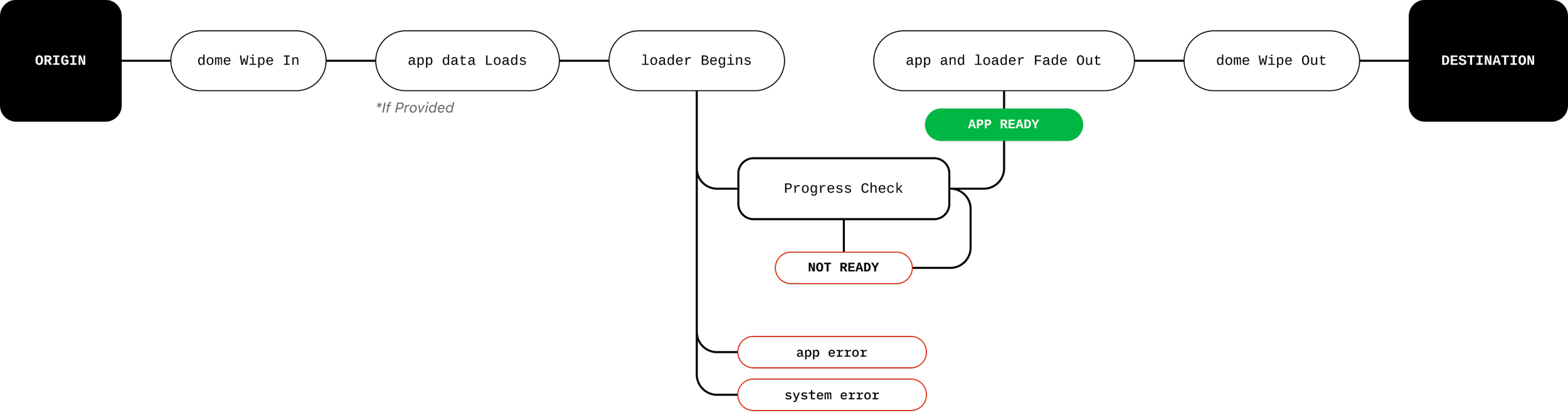
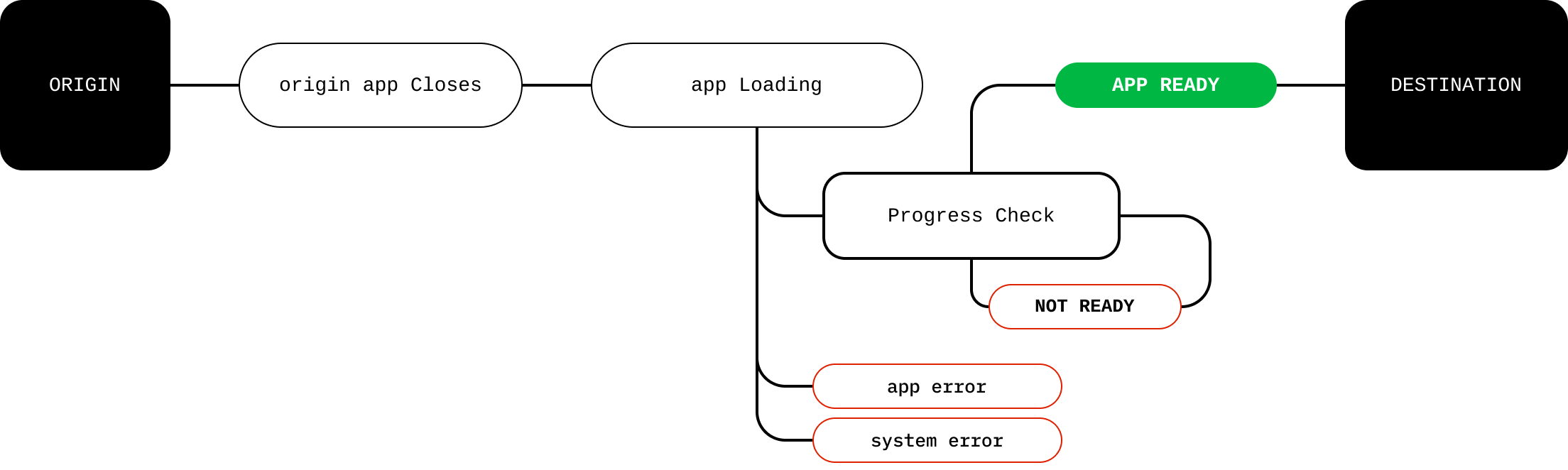
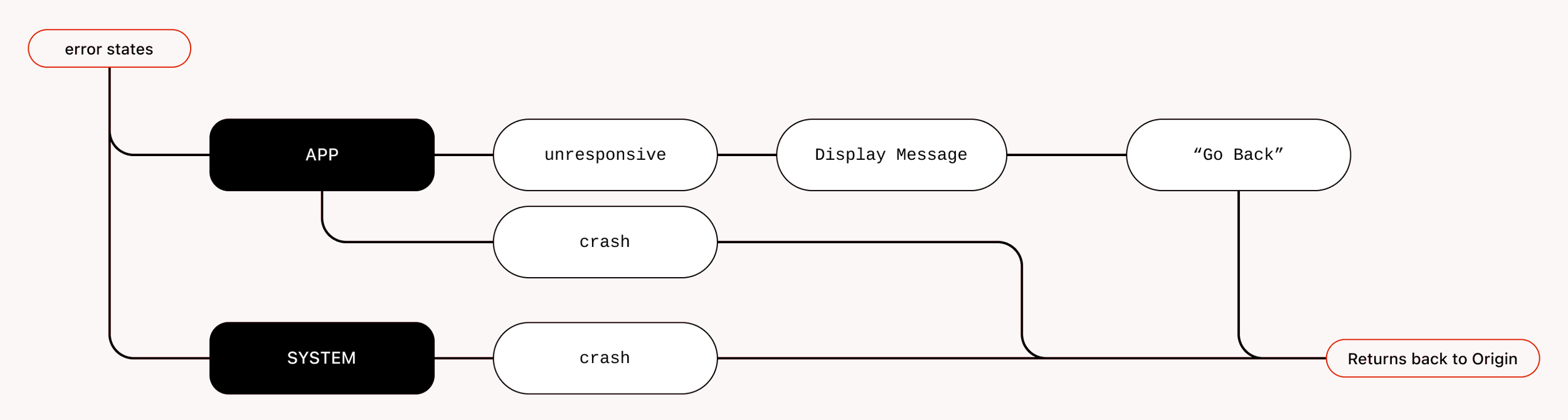
We began by identifying system and user problems, system flows and edge cases, designing transitions that handle app loading as well as delays, stalls, and failure states.
These flows revealed key trade-offs and informed how the transition could scale across the system.
User Facing Flow
System Background Flow
Fail State - During Load
Sudden environment change
Same load time.
Completely different experience.
Motion Rules
Wipe
Fweathering
Curves
Curves
Duration
Same load time. Completely different experience.
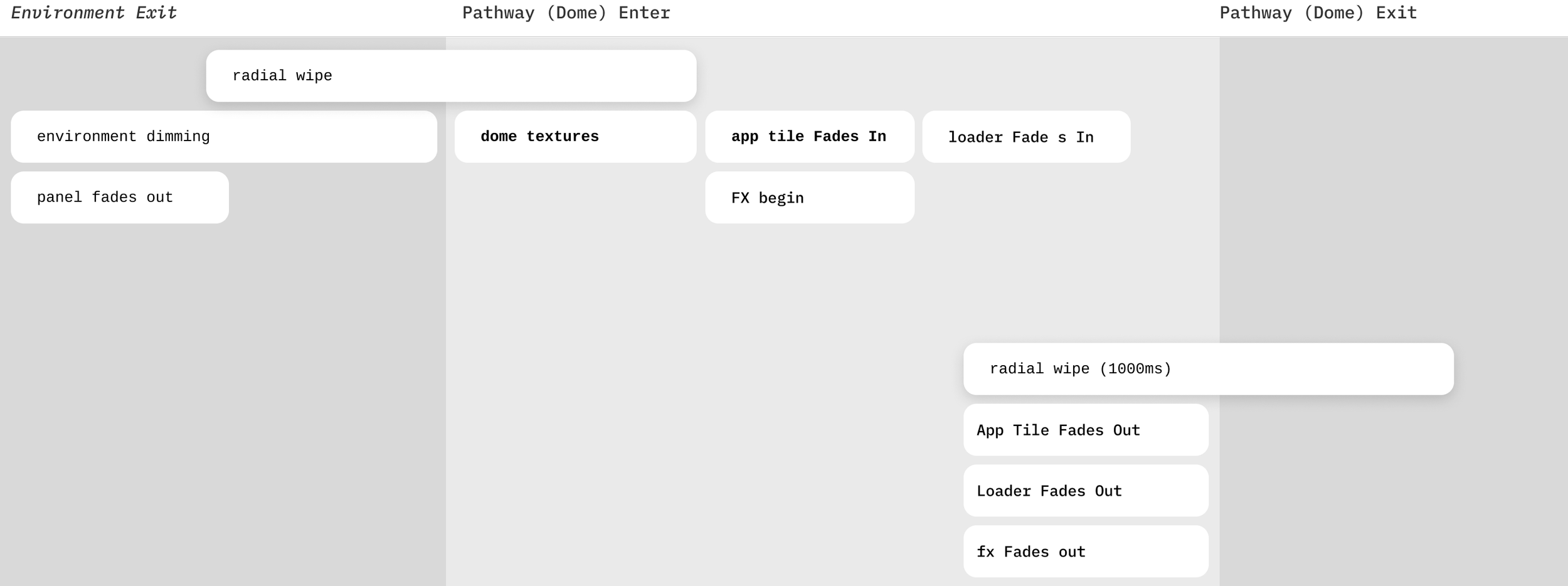
Choreography
Wipe In
Motion became the interface between two disconnected application states.
Dome Visual System
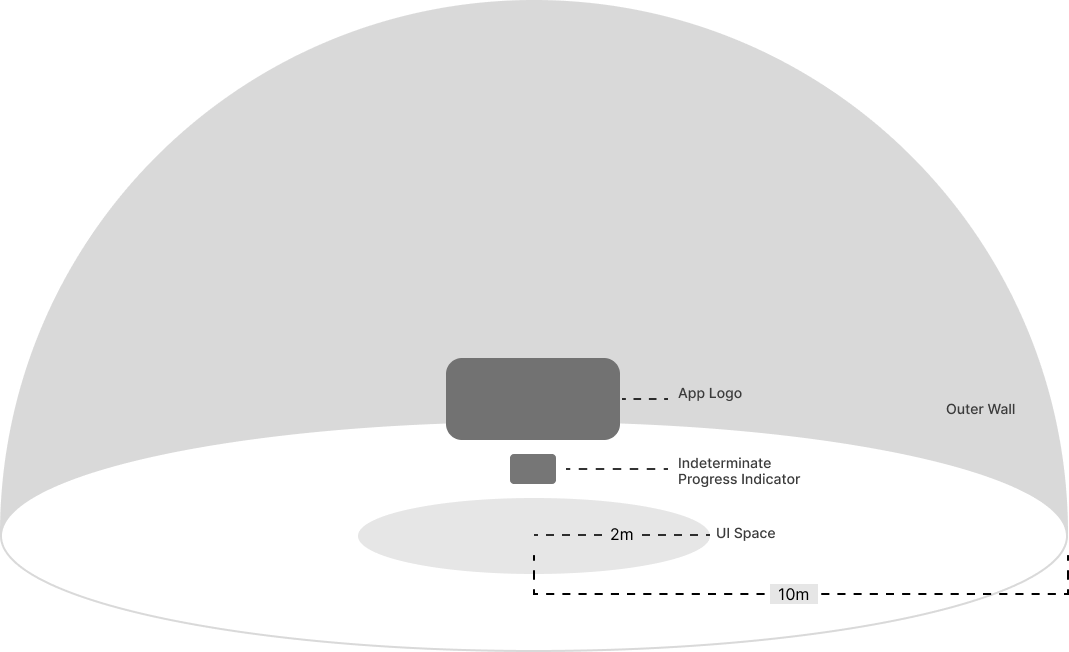
A lightweight dome system provides a predictable transition state that’s simple to implement and easy for users to understand.
Each transition is framed as traveling between worlds, using soft wind cues and a glowing horizon line to anchor motion and orientation.
travel between worlds…
Principles
Not Claustrophobic
Horizon Line
Grounding elements to reduce nausea or disorientation.
UI Design
App Logo + Loader
Fallback #1 - App Tile
Fallback #2 - Meta logo
Matte Painting
Lightweight visual to reduce perceived latency.
FX and Background Motion
Additional motion is used to provide
This wasn’t a visual polish problem.
It was a system communication problem.
Motion became the interface between two disconnected application states.